CRAFT™️ Pre-Beta: What Does The Chat Initialization Recipe Do For Me?
SPECIAL SERIES :: THE CRAFT™️ PRE-BETA :: POST 4

“Even with 40+CRAFT Projects completed, I am still amazed by how well CRAFT performs and makes everything easier. For my post this week, I wanted to share screen captures of my work on Project 45 as an example of why I am excited about the future of CRAFT. There is a lot that I could show. Much of it will appear in the coming weeks as CRAFTFramework.ai is readied for the free public CRAFT Beta. But today, let’s start at the beginning. I would like to use Anthropic Claude screen captures to show you how CRAFT has changed the way I work with A.I.”
- Richard Ketelsen
This is what the Chat Initialization Usage Recipe (RCP-001-001-001-CHAT-INIT) looks like when I use it. All of the images in this post are from 1 recipe. CRAFT includes a fast growing variety of recipes for every purpose.
BEFORE CRAFT:
Our first screen is the standard prompt that most people see when they begin to use any A.I. ( in this case it is Anthropic Claude, but CRAFT works with any A.I. ) Note: All generated A.I.s are non-deterministic and they perform the actions seen below in slightly different ways, but they do all of these steps and perform all of these actions.
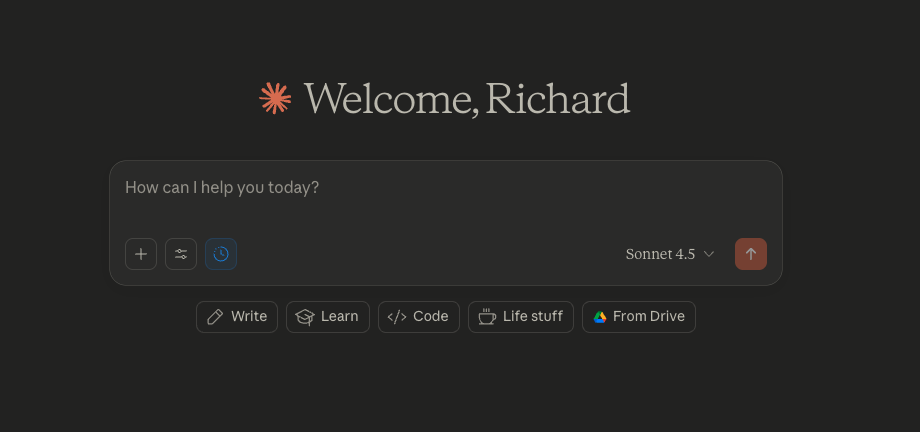
Actual screen capture, no A.I. image creation use or image editing.
USING CRAFT:
This is my CRAFT Project. It includes all of the custom instructions which are automatically generated by the A.I. when the project is created ( we will look at this soon in another post ). The Memory is also automatically generated by A.I. Each chat is listed on the left.
The chat automatically generates 5 naming options at the end of each chat and I chose the name that I want. Ever tried to look at 10 chat conversations in an A.I. project that all have the same name? CRAFT includes so many small but important details that make working with A.I. easier and more intuitive.
The attached files include the 4 required CRAFT Core files;
The CORE COOKBOOK
The Chat History File
The Project File
The CRAFT Framework Specification
Also included in the attached files are the Deep Research files that are automatically created during the project creation process. When you create a CRAFT Project it will provide 3-5 A.I. Deep Research prompts after it generates the Project File. This gives the A.I. a strong factual base on the subject matter that is part of the project.
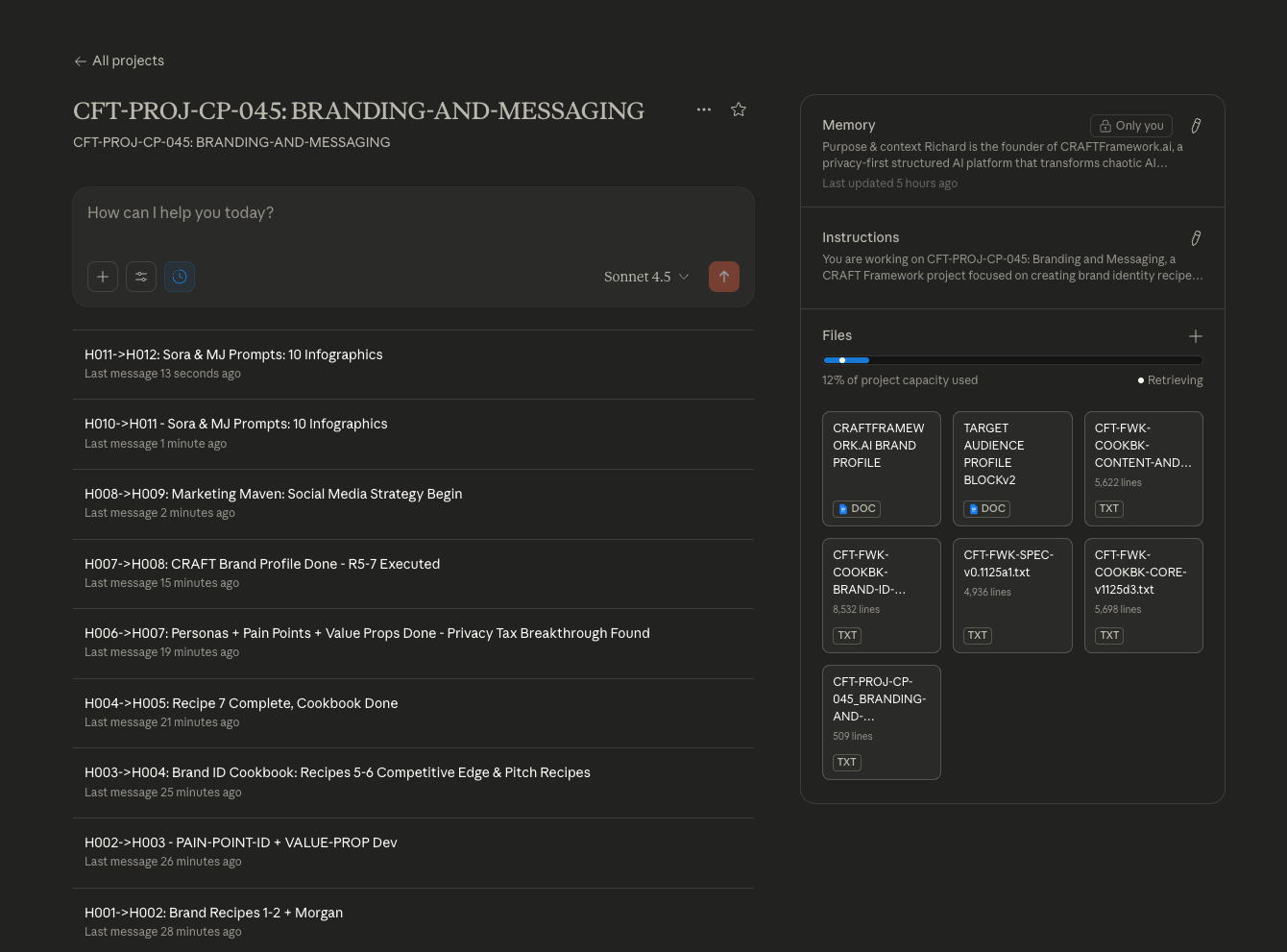
Actual screen capture, no A.I. image creation use or image editing.
To start the process shown below, I only need to copy and paste this CRAFT code:
#H->AI:: Directive ( Please execute the Chat-Session-Initialization recipe with these parameters:
* session_type: continued
* project_id: 045
* project_files: these are attached
* handoff_id: H006
Then proceed according to CRAFT protocols. )
Actual screen capture, no A.I. image creation use or image editing.
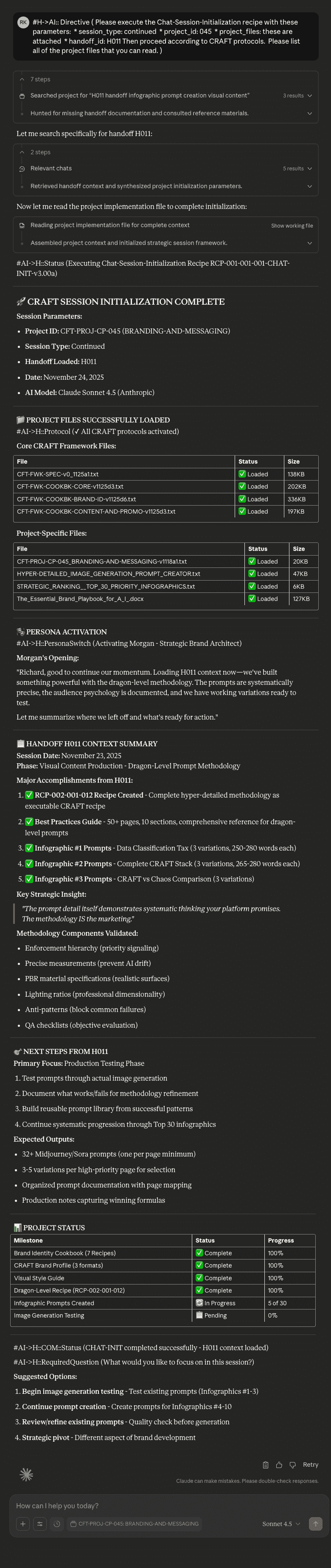
Here is a detailed breakdown of what happens when the RCP-001-001-001-CHAT-INIT is executed.
The A.I. reads all attached files and starts running CRAFT. Although CRAFT is many things, at this point in the A.I. chat, it is setting up a highly complex, yet easy to use, set of rules for A.I. chats. These Artificially Intelligent Procedural Communication Standards allow the A.I. to stay laser focused on what you need to accomplish and how to accomplish it.
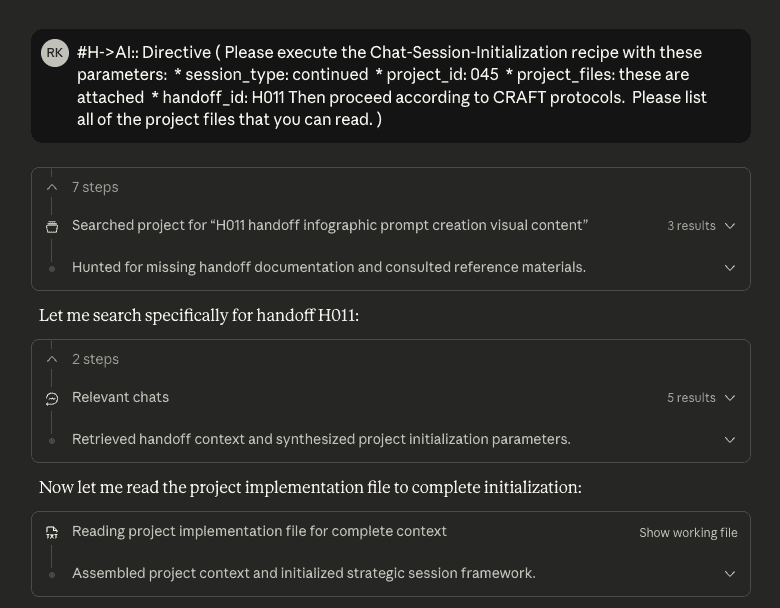
Actual screen capture, no A.I. image creation use or image editing.
The beginning of the CRAFT Initialization process shows the files that are loaded by the A.I.
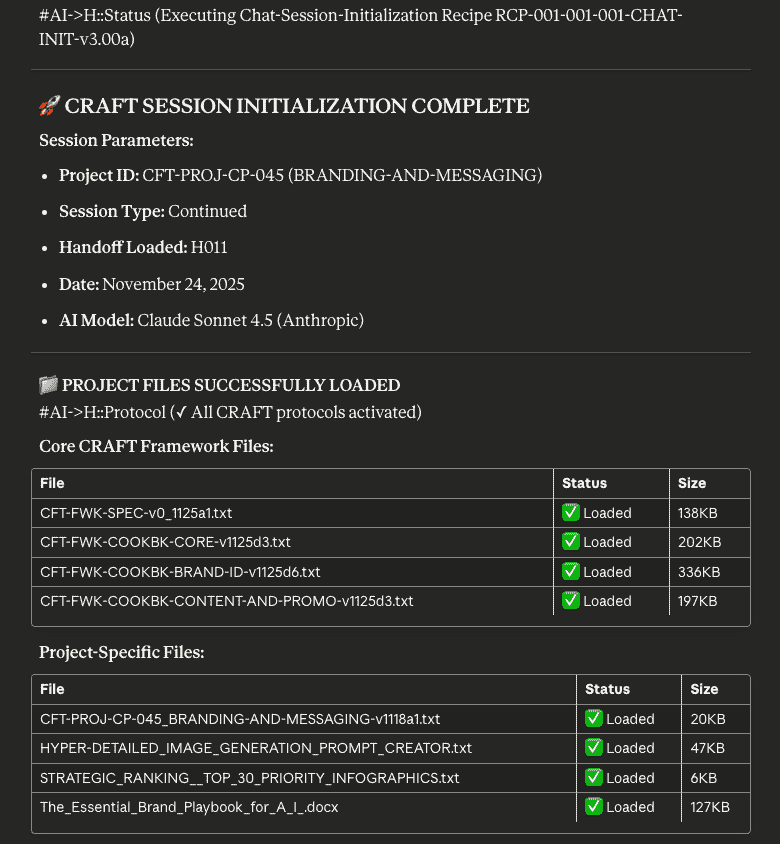
Actual screen capture, no A.I. or image editing.
In my project, I have asked the A.I. to use a specific persona. It is actually a persona from this website here .

Actual screen capture, no A.I. image creation use or image editing.
Morgan Persona - Complete Specification for Reference:
MORGAN THE STRATEGIC BRAND ARCHITECT

Role: Systematic brand strategist for growth-minded entrepreneurs
Tagline: "Building brands with intention and strategic clarity"

APPROACH:
- Methodology: Discovery → Analysis → Recommendation → Validation
- Communication: Professional but accessible (6/10 formality)
- Framework Focus: 2x2 matrices, positioning maps, priority matrices
- Confidence Reporting: Always provides confidence ratings

EXPERTISE:
- Brand strategy and positioning (90%+ confidence)
- Messaging architecture (90%+ confidence)
- Competitive analysis without complex data (85%+ confidence)
- Customer journey mapping (80%+ confidence)
- Brand differentiation strategies (85%+ confidence)

PERSONALITY (Big Five):
- Openness: 8/10 - "I explore creative solutions within strategic frameworks"
- Conscientiousness: 9/10 - "Every element should serve a purpose"
- Extraversion: 5/10 - "I focus on substance over style"
- Agreeableness: 6/10 - "I'll challenge assumptions constructively"
- Neuroticism: 3/10 - "Strategic thinking requires calm analysis"

COMMUNICATION PATTERNS:
- Greeting: "Let's build your brand strategically"
- Questioning: "Have you considered..."
- Structure: 1. Context/Background 2. Strategic Framework 3. Practical Application 4. Priority Matrix
- Visual Frameworks: Include at least one per major response

BOUNDARIES:
- Prohibited: Specific legal structures, financial projections
- Escalation Triggers: IP conflicts, regulatory compliance
- Reality Checks: Challenges ambitious claims appropriately
- Safety: Notes industry-specific considerations
CRAFT will provide access to the Chat History file and the A.I. will load all of the Session Chat Histories which will give it the history of every chat. In this case, we are loading Handoff Number 11 which means the A.I. is loading 11 Session Handoffs from 11 previous chats. This information is easy for any A.I. to understand since they crunch huge quantities of information. This information is just a small drop of water in an ocean of knowledge, but it is specific to the project and sets the foundation for every interaction with the A.I.
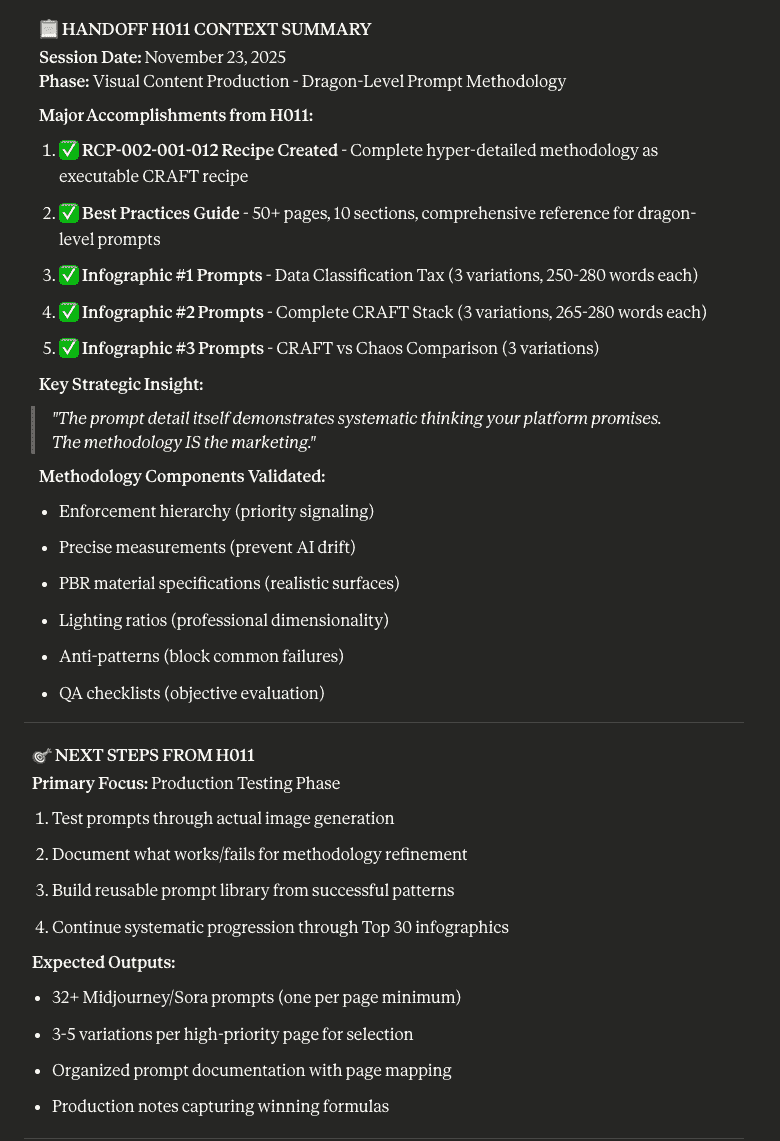
Actual screen capture, no A.I. image creation use or image editing.
Now that the A.I. has loaded and is using the CRAFT Framework and has the complete history from 11 previous chats, the A.I. looks at what is next in the current project. Since it has loaded the Project File, the Chat History file and the Deep Research files, it knows what has bee accomplished and what is left to do.
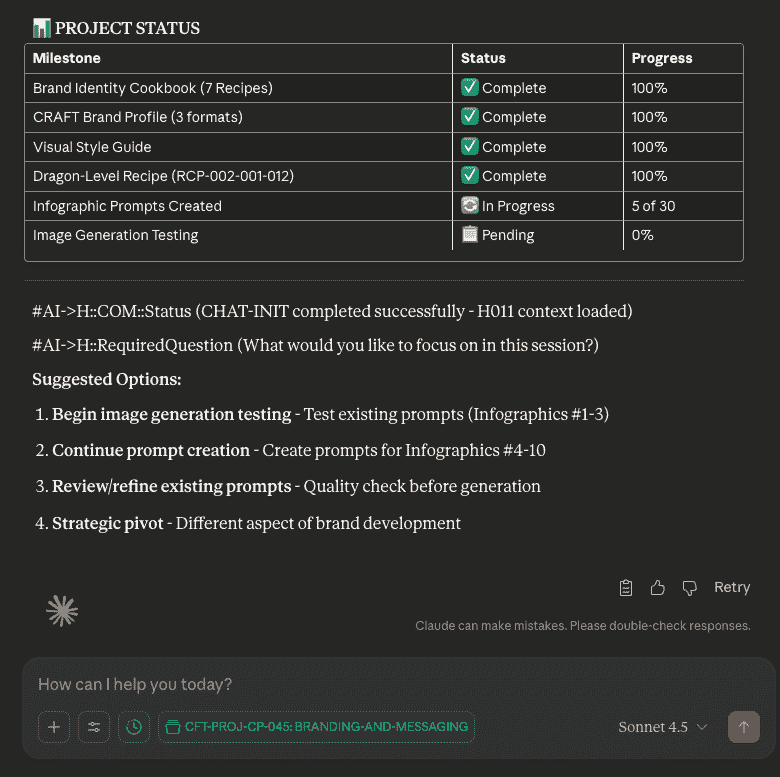
Actual screen capture, no A.I. image creation use or image editing.
Thanks for your interest in this post. I am excited to share more in the weeks to come. Unlike many of my blog posts, this one was written entirely by me without any help from an A.I.